Showing posts with label photo. Show all posts

Wednesday, June 26, 2019

A new Publisher in town


Affinity Publisher has now hit the streets and joins Affinity Photo and Affinity Designer to provide a complete creative solution for artists, designers and publishers. With the arrival of Publisher, the Affinity suite now provides a solution that rivals (and in some areas, surpasses) the Adobe Creative Cloud at a fraction of Adobe's cost.

Having worked in software development for a large part of my career, I'm more often than not disappointed by the quality of new software. In the rush to completion, things like usability, reliability and functionality often suffer, sometimes irredeemably. It is, therefore, a cause for some celebration when a new piece of software is delivered that lives up to its pre-release hype and, in most respects, approaches some sort of perfection. Such a piece of software is Affinity Publisher.

In my day-to-day working life, I use Adobe's InDesign for publication. It's become an old 'friend' (in the sort of way that a prison cell-mate might be considered a 'friend'*). I use InDesign to produce large documents that average around 100 pages, sometimes 200+ pages, have multiple sections, a variety of created and imported content types, and are revised frequently prior to publication as print and interactive PDFs. This is not lightweight use.

Though I had been involved in the Affinity Publisher beta programme for about six months, the beta had lacked some of the features I frequently use in InDesign and so I had never pushed it in the same way that I push InDesign. That changed when the final completed version was released and I recreated one of my larger documents in Affinity Publisher. This is not a review as such. but this is what I discovered:

  1. There was nothing that I do in InDesign that I couldn't also do in Affinity Publisher. I might have to do it differently, but it could all be done.
  2. Affinity Publisher needs learning. Many of InDesign's features work differently in Affinity. I don't think any were worse (just different). 
  3. Affinity's free video tutorials are pretty comprehensive and made learning easy.
  4. Overall, I felt I was more productive at some of the tasks I need to do in Publisher (e.g. managing imported PDF files and managing a document with multiple sections).
  5. Affinity Publisher provided rock-solid reliability on my Windows 10 desktop (Mac and iPad versions are also available).
  6. The integration between Publisher, Photo and Designer was first-class and exceed anything Adobe offers (Photo and Designer features are available from within Publisher without leaving the Publisher application).
  7. A perpetual license for all three Affinity products (Publisher, Photo and Designer) costs less than four months subscription to the Adobe Creative Cloud.
  8. Affinity Publisher is the sort of friend that might neet you at the gate when you finally get out.*

Affinity has the capability to go head-to-head with Adobe, especially if you don't need access to other tools in the Adobe Creative Cloud, like Premiere or After Effects. But, if you or your team are focussed on the main tools for raster graphics, vector design and publishing, then you may find the Affinity suite a much better fit. Find out more at: https://affinity.serif.com/en-us/

* No direct personal experience - just second-hand reports :-)

Saturday, May 4, 2013

Shovels and clarity

This weekend I've been testing a new Topaz filter, "Clarity". It's not yet released (perhaps 2-4 weeks away) but it looks very promising and a worthy addition to the Topaz toolbox. I used it on this picture (in addition to other filters) to restore what was a rather flat 6,400 ISO RAW file, to what I remembered seeing:
Nikon D600, 1/5 sec (hand-held) @ f11 and ISO 6,400 28-300 Nikkor lens @ 62mm. Processed in Lightroom and Photoline using a variety of Topaz filters.

Friday, December 28, 2012

The emotional dimension

The goal, so I am told, is to envision the final picture before you press the shutter release; it's called having 'artistic vision'. But, I have to admit, that for me the vision often comes later on. Take this picture for example; on the screen I had a technically good, full colour, picture but it just wasn't doing anything for me. My initial vision to capture the wind-swept emptiness, had come up short.

Then I decided to make it a black and white and darken the blue sky. Suddenly it ceased to be a picture about water and sky and became one about horizon-less tones of light and dark, and cloud shapes that reflected a wind swept tree. Finally split toned with hints of blue and yellow and it became a moody, surrealistic, landscape which echoed the, windswept, desolate feeling that I experienced that day at the Waipara River Mouth. 

Perhaps it has less to do with 'vision' and more to do with 'emotion'; recreating emotion is not just about capturing visual components but presenting them in a way that elicits the appropriate emotional response.

It seems to me to be a picture that needs a large canvas ...

Sunday, December 16, 2012

Little tip makes big difference

The week before last, I attended a workshop by Trey Ratcliff. It was a great day with lots of useful information. But, it's turning out that the most useful takeaway from the day was a very simple tip about not processing all your photographs as soon as they are taken.

My habit was to return from a shoot and then process that shoot before embarking on the next shoot. This created a lot of self-induced pressure to complete processing quickly so that I could move on. The consequence was that processing often didn't get the attention it deserved, and sometimes good pictures got passed over completely. Since the workshop I have been processinga shoot quickly in Lightroom (quick adjustments only) and then moving the very best pictures into a 'To be processed' collection. Then, when I am good and ready, I can dip into that collection and process a few photos.

Without this approach I would never have made this picture from the Weka Pass Railway - it simply required too much work to complete as part of the 'shoot and process' workflow. But I had gone back and dragged it (with many others) into my newly created 'To be processed' folder where it later caught my eye. Thanks Trey.

PS. See 21 October for the original picture.

Thursday, November 29, 2012

Home grown models

Photography is expensive enough without having to hire models to pose for your photos. But there's a way to get free models - get married, have children, get them married and soon you have little models everywhere. Here's one of my favourite models - Indie.
Just turn to the left ... yes, that's good. Hold it ...


Sunday, October 7, 2012

Spring into Oxford

Last year it was was called the 'Spring Cruise', this year it was 'Spring into Oxford' - a good family day out including a fete on the rugby oval and, of course, the regular vintage car rally. Here's one of my favourite cars - the Austin Healey 100-6. It was for sale but I dare not ask the price.

There was the usual turnout of American iron but many old British beauties including; an Austin A55, a Vauxhall Cresta, Singers (Gazelle and Vogue), Triumph (Stag, 2000 TC and a TR3), Morris Minor (split screen and 1000 convertible), Austin Healey 100-6, Jaguar 420, Rover 90,  and Jowett  Javelin (with working traficators!). Here's the Morris 1000 convertible:

Not a cloud in the sky today; tomorrow its back to rain and possibly snow.

Sunday, September 23, 2012

Out with the D600

I've been out and about with the D600 this weekend; what a lovely camera this is. My yardstick for this comment is my old D80 which I also thought was 'lovely' when I got it. But the goal posts for 'lovely' have moved a lot in the six years since the D80 was introduced - partly because technology has moved on and partly because this photographer has also moved on.

Despite only being announced a week ago, this D600 purchase was not an impulse buy; I have been looking to upgrade since the beginning of the year and knew that the D600 would be the way to go since the rumours started around June time. Sample pictures started appearing as soon as it was announced so image quality was well known, but there is nothing like using a camera with your own lenses and technique - that's what this weekend was about. I am duly impressed.

High ISO performance is incredible; I never used the D80 above ISO800 but the D600 doesn't give similar amounts of noise until ISO6400! Finally I feel comfortable allowing the camera to choose ISO automatically for general shooting. As well as improved ISO performance, the auto focus is  also a huge improvement over the D80; using the same set of lenses I find that auto-focus is fast and accurate - no more fidling around while the shot gets away from you:
I wouldn't have got this shot with the D80 - on the D600, fast focus acquisition and an ISO of 1600 gave a usable shot (actually six in burst mode). 

The other huge improvement is in Dynamic range. There are high dynamic range boosting settings but I wasn't even using these. This shot of the river bed was a single exposure at ISO 200 and everything from the sunlit snow on the mountains to the shadows under the trees was well within the dynamic range of the sensor (shot in aperture priority mode). This would have needed a three-shot bracketed exposure on the D80, on the D600 I didn't even need a graduated ND filter. Wonderful.

A different picture but a similar situation. This one uses also used the D600's continuous shooting mode which, with the highest quality RAW setting shoots up to 10 frames at a selected rate up to 5.5 frames per second. I used 3fps on this shot to make sure I got just the right composition (longest train possible without obscuring the green track light).

I can see that the D600 and I are going to become firm friends; she's certainly delivering a much higher 'keeper' rate than I was getting with the D80.

Saturday, September 8, 2012

Spring time

Spring has arrived accompanied by the usual Nor'West gales and an abundance of daffodils.

As well as gales and new flowers, Spring also brings us 'Photokina' (the world photographic trade show) and, along with many others, I eagerly expect the announcement of the Nikon D600 full-frame DSLR which is likely to become the replacement for my aging (but lovely) D80. On top of all that there has been a new job, and learning a couple of new software programs (Adobe InDesign and PhotoLine), so this spring is really turning out to be a time for new things.

Saturday, July 21, 2012

Jonathan Livingston Seagull


"Most gulls don't bother to learn more than the simplest facts of flight - how to get from shore to food and back again. For most gulls, it is not flying that matters, but eating. For this gull, though, it was not eating that mattered, but flight. More than anything else, Jonathan Livingston Seagull loved to fly."
(Richard Bach)

Monday, July 9, 2012

Busy couple of weeks

What with getting a new job (at sixty-three, a bit of a surprise!) and a new exhibition opening at the gallery, the last couple of weeks have been a bit busy. The exhibition is a combined textile (Wilson Henderson) and painting (Marilyn Rea-Menzies) show and runs until the 29th of July.
So, from tomorrow, I'll be working part-time for the Hurunui District Council at Amberley. I'll be in the "Community and Information" department responsible for document and website content (written and visual). "Cool bananas", as my wife would say.

Sunday, June 24, 2012

Candlelight

Cold and the short winter days have driven me inside where I can work comfortably close to the wood burner. Annette had some floral visitors, so I grabbed some low cost lighting (candles) and started to experiment:
Candles are a very weak light source so they have to be positioned close and the light drops off rapidly. It's this shallow 'depth of light' coupled with the warmth that gives candlelight its characteristic 'look'. The necessary long exposures (about 30 seconds) also tend to provide well saturated colours. 
I'm quite pleased with these first experiments and suspect the candles may come out a few more times during the winter.

Thursday, June 7, 2012

Life on a snowball

After yesterday's large dump of snow, we awoke to a fine morning with the moon handing over lighting duty to the sun.

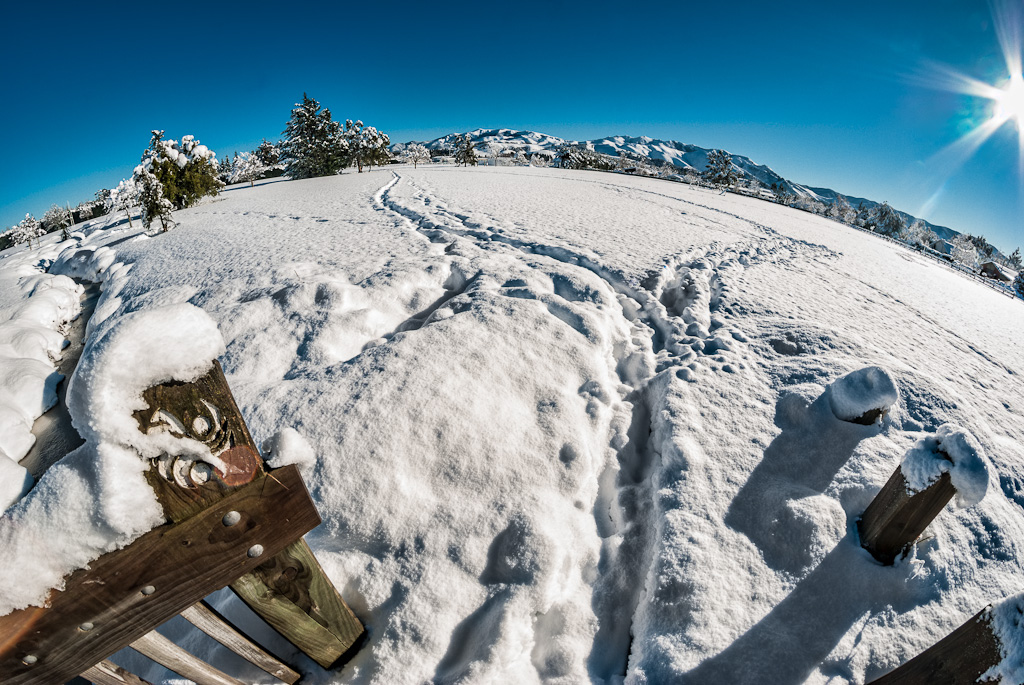
Venturing outside we found ourselves living on a giant snowball:

In a world that looked almost infra-red (at least to the camera):

I do love how snow makes even the familiar and mundane things look strangely alien.

Of course, few people seem to be working around here today as the roads are barely passable; that seems to have made the majority of people smile though there are a few 'grumpy's' around. Me, I'm a smilin'.

Wednesday, June 6, 2012

First snow of winter ...


Am I going out with the camera in this? No I am not! Shot through the kitchen window :-)

Sunday, June 3, 2012

Guzzi and the cat

Guzzis have always made me smile, ever since one went flying past my office window. (The clutch cable broke, the front came up and dumped the rider before doing a riderless wheelie past the window :-) Anyway, I found this Guzzi on my morning walk today ...
... and a cat; watching me, watching you:

Thursday, May 31, 2012

Don't delete - ever

Digital photographs are easy to accumulate in vast numbers. Some photographers recommend deleting anything that isn't perfect - as soon as possible, preferably before it leaves the camera. I don't subscribe to that philosophy and keep everything I shoot unless its absolutely awful.

I have a folder structure that allows good stuff to 'bubble' to the surface while all the raw material (usually RAW material) sits in a series of basement folders called 'Originals'. When I need to try out some new software or attempt a new processing approach I dig into my 'Originals' folders to find something to practice on. Case in point is the picture below - what I wanted to try didn't work out but, in the process, I discovered the original reason I took the shot - the light - buried beneath a rather dull and uninteresting set of RAW files.

"Evening light - Canterbury High Country" - camera Nikon D80, 28mm, ISO100, 1/15sec, f11 (9 frames)

So, tonight I feel vindicated and confirmed in my old hoarder ways :-)

Wednesday, May 30, 2012

Are you in the haystack?


Yesterday I read a plaintive G+ post by +Vivienne Gucwa, lamenting how difficult it was to monetize her photography on line. Her words resonated with me and got me thinking about my own on-line experience and the conclusion I had come to, that the internet was not the best place for a photographer to sell work. (It might be one way for a photographer to sell themselves, but that is a different thing.)

It’s basically very simple – photographers make pictures and pictures are brought by customers. Where are the customers; are they on-line looking for work to buy? Generally, no they are not. Customers are out buying pictures in shops and galleries (I’m not talking about commercial buyers of stock photos here). My own experience is that potential customers may well want to look through your portfolio on line but, unless they have had some prior physical contact with your work they are unlikely to buy there. Pictures are real tangible things, physical size matters (small or large), presentation matters, how it looks in your hand or hung on a wall matters – these things are hard to judge on a computer screen. Some of my best selling pieces, don’t even look like my best work when displayed on a computer. Lastly, even I wouldn’t buy a picture on line without seeing it physically, so why would I expect anyone else to?

I am not a Luddite. My own internet presence includes a personal website, a blog and profiles at redbubble, 500px, Facebook and G+. I invite people to look at my work online but I don't try to sell to them there. My personal portfolio site has this on the front page, “This site is for looking; not buying. Should you have an overwhelming desire to purchase an image, please visit my portfolio at ...

Nearly all my work is sold through a small rural gallery. Maybe I will expand my outlets further down the track but I have been selling cards and framed pictures every month this year from a location that has less than 500 physical visitors per week and displays work by a large number of artists. In the same period I have had one internet sale - because one of my existing ‘fans’ had seen a picture they liked on my Facebook page.

Here's another strange thing; my pictures can be brought on-line as greeting cards for about $2.50 each. I have sold absolutely none through this method. Instead, I buy them myself on-line and sell them through the gallery at $7.00 each. On average I have 2-3 card sales a week; not enough to pay the bills, but it's money for little effort - I just have to keep the shelves stocked - and I am learning what people like and what they don't.

The takeaway for me is that the internet is a great place to showcase what you can do and it’s the best way to get your portfolio ‘out there’ and available to any eyeballs that may want to see it. It’s a great place to share and discuss your work with other photographers; it’s also a great place to spend the time you should be using to make pictures! BUT it’s not a great place to meet real customers and sell your pictures – for that, the old fashioned ways are significantly more successful. As I heard a photographer say once, "Ah, redbubble (or any other large art web site) another haystack to hide your needle in."

Sunday, May 27, 2012

Focus stacking

This last week I have been learning playing around with 'focus stacking'. One of the difficulties when taking closeup or macro photos is the incredibly shallow depth of field; sometimes you may only have a millimetre of the subject in focus at a time -front, sharp; rear blurry. The answer is to take a number of photos focussed on different parts of the subject and then merge them altogether to get one sharp photo.

This is easier said than done. Unlike merging photos for exposure, every time you refocus the shape of the subject changes slightly, so each picture needs to be aligned not only for x and y coordinates but also for depth by adjusting magnification. All tricky stuff for software but the free program "Combine ZP" available from: http://www.hadleyweb.pwp.blueyonder.co.uk/CZP/News.htm does the job admirably (though it does take some learning). Here is a dandelion composited from 5 differently focused frames in 'CombineZP':
and this is a 100% crop from right of centre out towards the right edge. Note the very fine detail that 'CombineZP' has been able to maintain:

Although the differently focussed frames can be achieved by adjusting focus on the lens, it is much easier with subjects this size to use a focusing rail which allows sub-mm adjustments. All five frames were shot at ISO 100, with a 70-300 Tamron lens at 185mm and f11 for 0.7 seconds.

Wednesday, May 2, 2012

Photoshop CS6 - second thoughts

A week or so after downloading the CS6 beta, I could have brought it - I was in love with all the cool things it could do compared to to Photoshop Elements. Fortunately for me and my bank account, CS6 was not yet for sale and I was granted a cooling off period during which sanity prevailed and I uninstalled CS6. I imagine that it felt much like walking away from an affair before anyone really got hurt.

Let me be clear, my digital tools of choice for the last year have been Photoshop Lightroom (now v4) and Photoshop Elements (v10). To move from PSE10 to CS6 would cost well over NZ$930 while Lightroom and Elements together cost me about NZ$400. As I asked in the last post on this subject, were the additional features that CS6 offered over and above PSE10 worth it? No they weren't - at least not to me.

I will miss the 'adaptive wide angle tool' - that was really useful but, that aside, there was really nothing that CS6 brought to the party that I couldn't achieve in PSE10. Perhaps PSE10 isn't so polished and CS6 is definitely quicker at many tasks, but my photography is not of the mass production type (think weddings) that could benefit from the smoother CS6 workflow. Most of my time is spent deciding how to process an individual picture, not applying the actual modifications. Add to that the fact that Lightroom provides all the RAW processing abilities from CS5/6's Camera RAW (but packaged better) and it was clear that CS6 could add very little to my current post processing setup.

So that was it; CS6 is in the past, even before its arrival, and I am more convinced than ever that Lightroom and Elements make an awesome tool set for non-commercial photographers.

Wednesday, April 11, 2012

Photoshop CS6 Beta - first thoughts

As a certified 'skinflint', I have been using Adobe Photoshop Elements 10 for my picture making. Coupled with Lightroom 4, they make a very competent pair of products at a competitive price (about NZ$400 direct from Adobe). Then I decided to download the Photoshop CS6 Beta ...

I like it; a lot.

That general "like" aside, I was able to identify eight features of CS6 that I would use with some frequency (in addition to those features I already use in PSE10). They are (in order of discovery):
  1. A complete 16 bit, end to end, workflow. (PSE 10 is effectively limited to 8 bit)
  2. The new "Adaptive wide angle" filter - excellent straightening results for little effort
  3. The new photographic blur tools
  4. The additional adjustment layers available over and above those in PSE10
  5. Being able to use my Topaz plugins as "smart filters"
  6. The "Content aware patch tool"
  7. The Art History brush for photo painting effects
  8. A simplified workflow when compared to PSE10 (2 files instead of 3) 
These are quite significant additions for a photographer (designers may have a different set). The problem I am left with is this: Is the value of these eight features worth the additional NZ$930 price of CS5/6 over PSE10? In all honestly, I think the answer should be, "no way". But, what will I do when the beta runs out in June?

Wednesday, April 4, 2012

Arts in Oxford - April exhibition

Monday, we finished preparing the gallery for the April exhibition - "A Vast View" - paintings by Maree White and Adrienne Ranson. If you can't make it to Oxford you can take a virtual tour here: http://www.fords.co.nz/pano/AIO_April_12/AIO_April_FG.html (don't forget to click through to the back gallery where the main exhibition works are).

I always enjoy hanging an exhibition; it's a great opportunity to meet new artists and hanging an exhibition is a great way to collaborate with a small team - a necessary break from working alone.

Part of the Arts in Oxford gallery space